
A good report goes a long way.
Capture the description, priority and supporting files together. Add the details once, where the team can find them.
LESS FRICTION. MORE FORWARD.
From the first report to the next release. Keep the work, the conversation and the context together.
Limited availability. Choose “Create a workspace” on the app sign-in page.
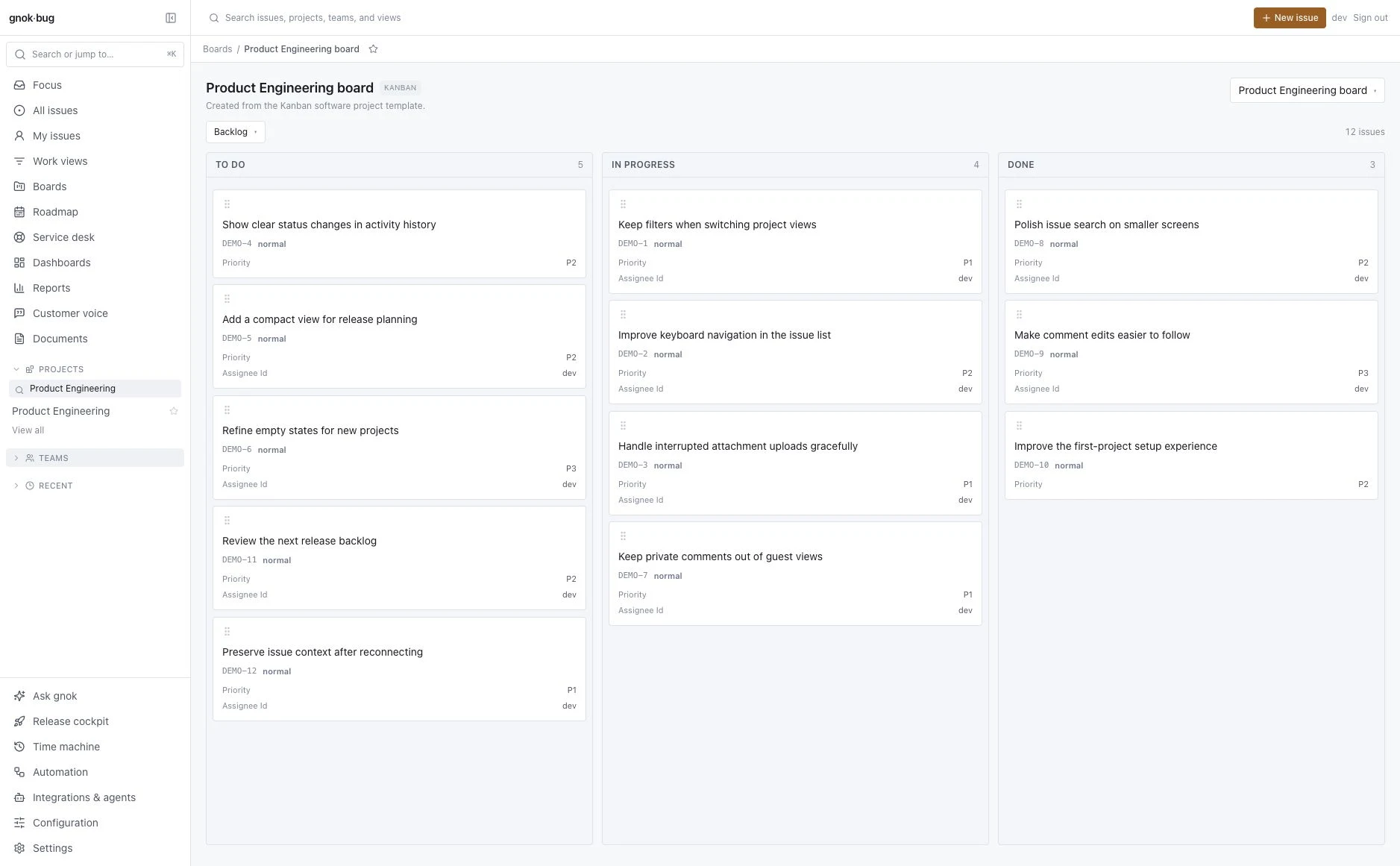
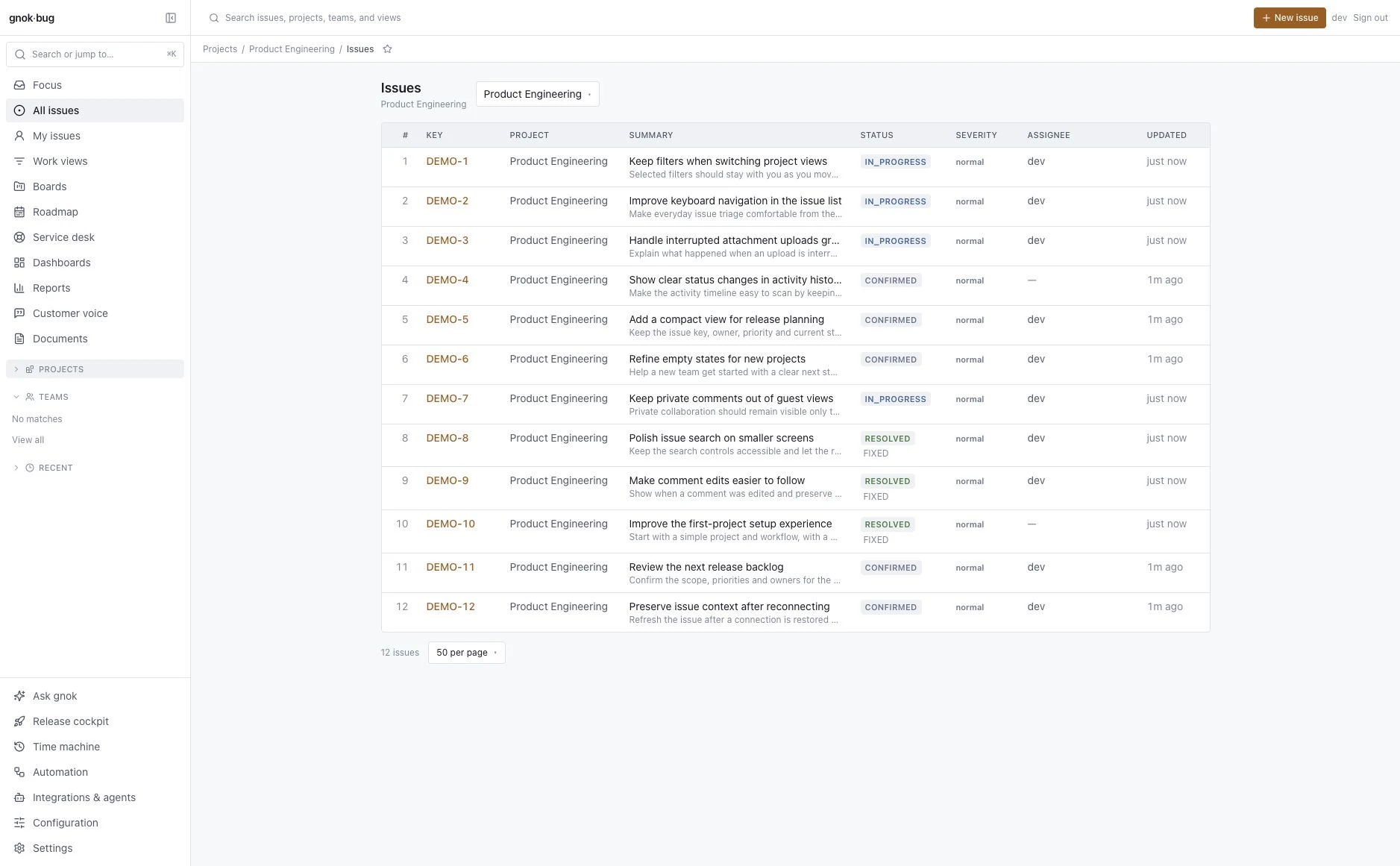
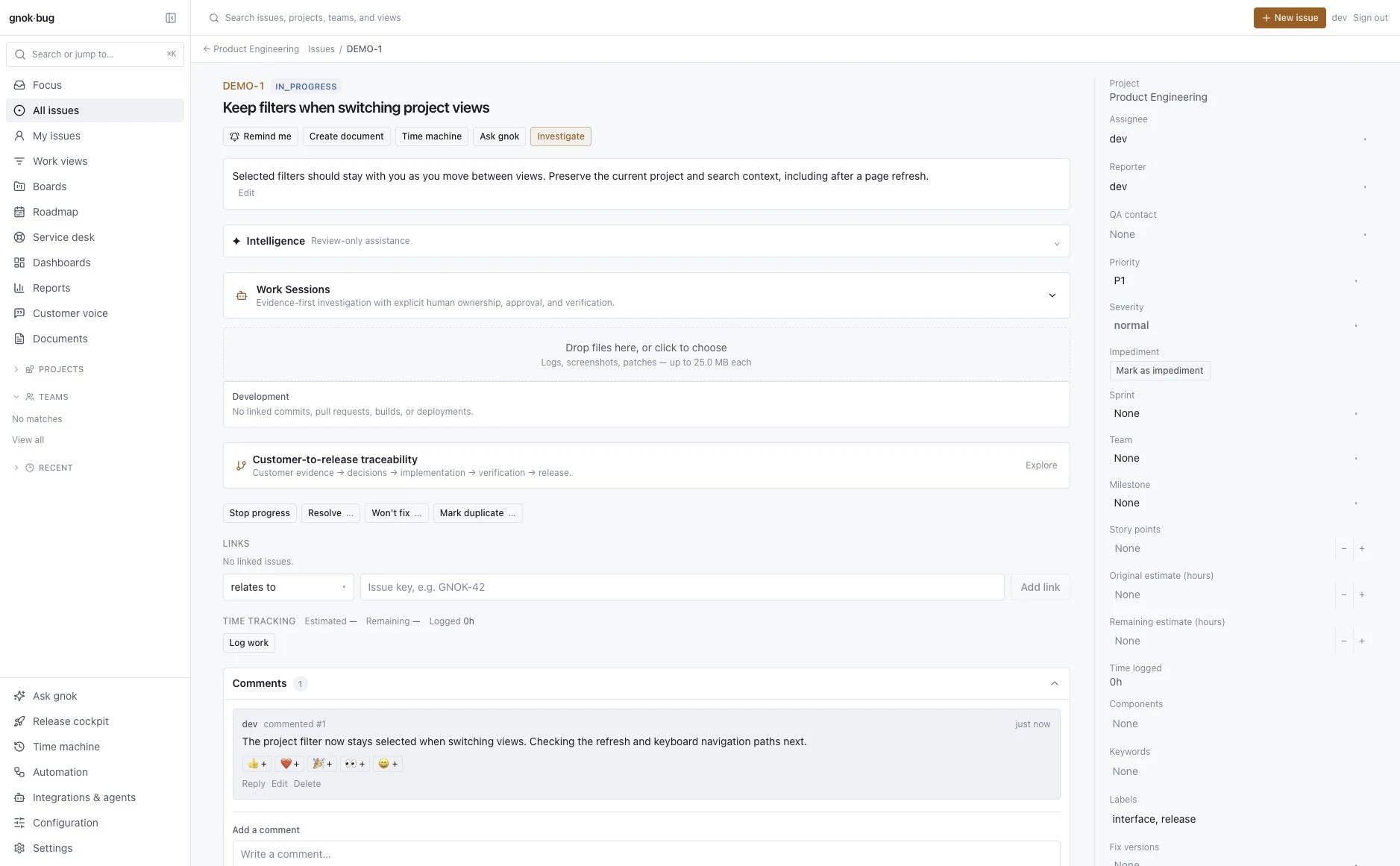
A shared view of what’s next, what’s moving and what’s done.
BUILT AROUND THE WORK
Give every issue a clear home, every conversation its context and everyone a view of what comes next.
Capture the description, priority and supporting files together. Add the details once, where the team can find them.
Use project lists, Kanban boards or Scrum sprints to organize work. Keep ownership and status visible as priorities change.
Discuss the issue, record changes and follow it through resolution. The next person gets the context, not another catch-up meeting.
MORE CONTEXT. FEWER LOOSE ENDS.
A screenshot in one tool. A decision in another. The actual issue somewhere else. Bring the useful pieces back together.
Actual product screenshot · illustrative demo contentGnok handles identity, account recovery and administrator MFA, with passkey enrollment available.
Bring collaborators into guest-enabled projects and participating issues. Internal comments stay internal.
New workspaces go through email verification and manual approval before the team gets started.
Open Gnok Bug and choose “Create a workspace” on the sign-in page. Verify your email, then wait for a platform administrator to approve the workspace. Administrator MFA setup is part of signing in. Read the setup guide.
Yes. Sign in with your existing Gnok organization account. Your organization needs Gnok Bug enabled, and your administrator must grant you access. Guest collaborators use their home organization’s account and an explicit guest grant.
Administrators can grant scoped guest access. Guests can work in guest-enabled projects and the issues they participate in. Private issues, internal comments and administration remain subject to access controls.
No. The Gnok Bug signup flow provisions the Bug application. It does not enable Studio or create an Engine warehouse.
Contact support@gnok.com for current availability, workspace access and pricing. New workspaces require approval and currently use Gnok’s Limited Availability terms.
LESS CHASING STARTS HERE
One place for your team to report, discuss and resolve issues.
Get started with Gnok Bug Limited Availability terms, email verification and approval apply.